1Challenge
- The Salary Advance feature was underused and difficult to manage.
- Admins struggled with manual validation, while employees hesitated to request advances.
- Goal: increase adoption, simplify management, and support financial flexibility.
PayFit · B2B & B2E web app
Making financial flexibility feel simple and stigma-free.
I redesigned PayFit’s Salary Advance feature to empower employees to request help confidently while giving admins a frictionless way to review, validate, and manage approvals.
The result: a human-centered experience that saves time and supports employees’ wellbeing.

company adoption
active use among employees
admin time per request
faster request processing
Challenge to impact
Workflow in action
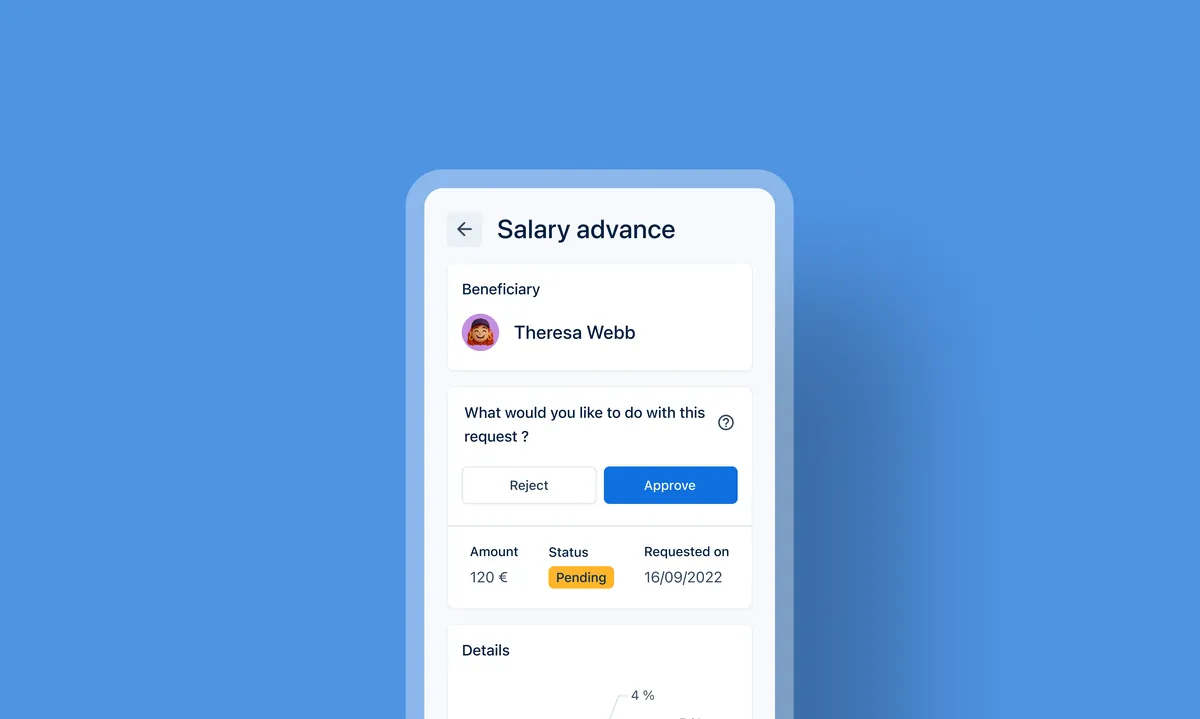
Illustrating how employees request a salary advance and how admins review, approve, or reject it seamlessly within PayFit.
 Admin persona
Admins can give employees access to the salary advance feature in just a few clicks. A dedicated landing page highlights its benefits and lets admins enable it directly from their dashboard.


 Employee persona
Once the feature is activated by the admin, employees can access it directly from their personal space. From there, they can see how much they can request, understand how their salary will be impacted, and track the status of their request, whether it’s approved or declined.
Admin personaWhen a request is submitted, the admin receives a notification directly in their dashboard. At a glance, they can see the employee’s previous requests, check their remaining advance eligibility, and view the updated salary if approved, making it easy to make a quick, informed decision.

Outcomes & learnings

“With the dashboard, I can see each request clearly and approve with confidence. It feels good to support my team and the families behind our business.”
“It’s reassuring to know I can access part of my salary when I need it, especially around the holidays. PayFit makes it simple, and I can really count on it.”
Next project · Meetic
Introducing Love Note: a flexible messaging offer for hesitant users
Get in touch
Turning complex workflows into intuitive digital products. Based in France, working globally.